
 By Yilu Support
You know it feels bad when your accounts get banned after using a social media proxy. Bans usually happen because of too much automation, spamming, or logging in from different places too fast. Here are the most common reasons:
Reason for Ban | Description |
|---|---|
Excessive Automation and Bot Usage | Using too many automation tools can make systems notice you, which can cause bans. |
Spamming or Aggressive Engagement | Doing things like following or unfollowing lots of people or commenting too much can get you banned. |
Violating Instagram’s Terms of Service | Doing things that are not allowed can make your account get suspended or banned. |
Suspicious Login Behavior from Different Locations | Logging in from many places often can make it look like someone else is using your account. |
Yilu Proxy helps you manage your accounts in a safer way. You can try it for free to see how it works.
Key Takeaways
Use a different proxy for each social media account. This stops platforms from connecting your accounts. It also lowers your chance of getting banned.
Pick residential proxies instead of datacenter proxies. Residential proxies act like real users online. This makes it harder for platforms to spot and ban you.
Check your accounts often for signs of bans. Watch for less engagement or lower visibility. This helps you find problems early.
Slowly warm up new accounts with easy actions first. This makes your accounts look more normal. It also lowers the risk of being marked as spam.
Always follow the rules of the platform and use proxies the right way. This keeps your accounts safe and helps you keep a good online reputation.
Social Media Proxy Risks
Account Bans
When you use a social media proxy, you face some real risks. The biggest one is account bans. Social media platforms do not like it when users try to hide their real location or use many accounts from the same place. If you get caught, you might see your accounts disappear fast. Account bans can happen for many reasons, but most often, they come from suspicious activity or breaking platform rules.
Let’s look at some common risks you might face:
Risk Type | Description |
|---|---|
Security Concerns | Free proxies often have weak security. |
Privacy Violations | Some proxies log your activity and sell your data. |
Malicious Activities | Bad proxies might inject malware into your traffic. |
Potential Data Leaks | Cheap proxies may not protect your information well. |
Inconsistent Performance | Slow or unreliable proxies can hurt your experience and raise red flags. |
You also risk account bans if you share a proxy with others. If someone else spams or abuses the platform, your accounts could get banned too. Some free proxies even use hacked computers to relay your traffic, which puts you at more risk.
Detection Methods
Social media platforms use smart tools to spot proxy users. They track IP addresses and look for patterns that do not match normal user behavior. If you use the same IP for many accounts, you raise the risk of account bans. Platforms also use anti-bot systems to catch fake activity.
Here are some ways platforms detect proxy use:
They check for multiple accounts using the same IP address.
They use advanced systems to spot bots and fake actions.
They look for IP addresses that belong to known proxy services.
They watch for sudden changes in login locations.
Some proxies, like residential or mobile proxies, help you look more like a real user. These can lower your risk of account bans because they use IPs from real devices. Sticky sessions can also help by keeping your IP steady, making you less likely to get flagged.
Proxy Selection Strategies
Picking the right proxy is very important. It can help keep your social media accounts safe. If you want to avoid bans, you need to know what works. Let’s look at some smart ways to choose a social media proxy.
Residential Proxies
You may hear a lot about residential proxies. These use real IP addresses from people’s homes. Your traffic looks like it comes from a normal person. This makes it harder for social media platforms to ban you.
Here’s why residential proxies are good:
They change your IP address often, so you look normal.
They use many IPs, which lowers your chance of getting flagged.
They act like real users, so anti-bot systems have trouble catching you.
They come from real ISPs, so platforms think you are a regular user.
Residential proxies are different from datacenter proxies. Residential proxies send your traffic through real devices. This makes your actions look natural. Datacenter proxies get flagged more because their IPs are easy to spot.
Proxy Type | Detection Risk | Ban Rate |
|---|---|---|
Residential Proxies | Low | ~1% |
Datacenter Proxies | High | Higher |
Many people make mistakes when picking proxies. Here are some things to avoid:
Mistake | Explanation |
|---|---|
Using Free or Dubious Services | Free proxies are slow or scams. Pick a trusted provider. |
Buying from Providers with Fake or Emulated IPs | These get banned fast. Choose real devices on real networks. |
Overusing One IP Address | Using one IP too much gets you caught. Make sure your provider changes IPs often. |
Ignoring Geolocation Coverage | If you need proxies in certain places, check before you buy. |
Not Checking for Scalability | If you need more proxies later, pick a service that can grow with you. |
Choosing Bandwidth-Limited Plans When You Need Heavy Usage | If you use a lot of data, pick a plan with no limits. |
Tip: Never use free proxies. They can steal your data or get your accounts banned.
Yilu Proxy is special because it gives you lots of Socks5 residential and elite datacenter IPs in many countries. You get rotating proxies, unlimited sessions, and helpful support. You can try it for free to see if it works for you.
Static vs. Rotating
Let’s talk about static residential proxies. These give you one IP address that stays the same. If you want to manage accounts, static residential proxies are great. They help you look like the same person every time. This is important for social media platforms that watch for changes.
There are also rotating proxies. These change your IP address a lot. Rotating proxies are good for scraping data or doing many actions. They keep you hidden and help you avoid bans. Sometimes the connection is not as steady.
Here’s how static residential proxies compare to rotating proxies:
Feature | Static Proxies | Rotating Proxies |
|---|---|---|
IP Address Stability | Keeps the same IP address | Changes IPs often |
Anonymity | Lower anonymity because the IP stays the same | Higher anonymity because the IP changes a lot |
Use Cases | Good for tasks that need a steady identity | Best for scraping and big projects |
Vulnerability | Can get blocked if you send too many requests | Less likely to be blocked because IPs change |
Performance | Stable connection, good for long-term tasks | Great for heavy data scraping |
Pricing | Usually costs per IP | Often costs more if you use a lot of traffic |
Let’s make it even simpler:
Static residential proxies give you a steady and fast connection. You get a steady identity, which is good for managing accounts. But if you send too many requests, you might get blocked.
Rotating proxies help you avoid bans and CAPTCHAs. You get a new IP for each request, which keeps you hidden. They work best for big jobs, but sometimes they are slower.
To avoid bans, use good static residential proxies for each account. This keeps your identity the same and lowers your risk. Yilu Proxy has great static residential proxies, and you can try them for free.
Note: Always pick the right proxy for your job. For account management, use static residential proxies. For scraping or big actions, rotating proxies may be better.
Managing Multiple Accounts
It can be hard to handle many accounts. You need smart ways to avoid bans. The right setup keeps your accounts safe. It also helps them work well.
Unique Proxies per Profile
Always use a different proxy for each account. This gives every account its own IP address. Social media sites watch for patterns. If they see many accounts on one IP, they may think you are breaking rules. This can cause bans. Giving each profile a unique proxy makes it harder for sites to link your accounts. You look like different people with separate devices. This lowers your risk of bans and keeps accounts safe.
Each account uses a different IP. Platforms cannot link your accounts.
Unique proxies for each account make your actions look normal.
You avoid bans because accounts do not share the same network.
Browser Profile Tools
The right tools make managing accounts easier. Browser profile tools like AdsPower, Incognition, GoLogin, and DICloak help you set up separate device profiles. These tools give each account its own cookies, fingerprints, and settings. You can switch accounts without mixing up data. Your accounts look like they come from different devices.
Tool | Unique Device Profiles | Price (per month) | Social Media Accounts |
|---|---|---|---|
GoLogin | Yes | $99 | 10 |
DICloak | Yes | $12 | 100 |
Yes | Varies | Varies | |
Incognition | Yes | Varies | Varies |
Tip: Try to keep two accounts for each proxy. For important accounts, use one proxy for each account. This keeps your device profiles safe and lowers the chance of bans.
If you use a social media proxy with these tools, you can manage many accounts more easily. Each account stays in its own space with its own device profile and proxy. This is a great way to avoid bans and keep your accounts working.
IP Rotation Strategies
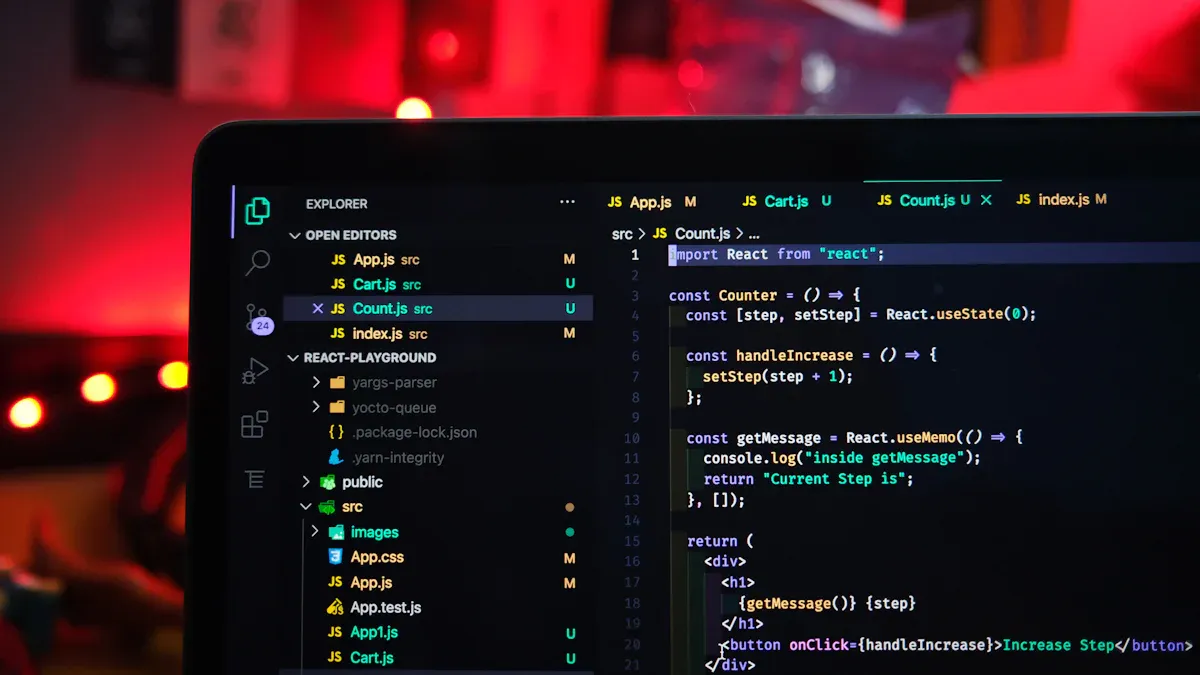
You need smart ways to keep accounts safe from bans. One good way is to change your IP address often. Social media proxies can switch your IP for you. This makes it hard for platforms to track you. It also stops them from linking your accounts.
Automated Rotation
Automated IP rotation changes your address at set times. It can also switch after certain actions. You do not need to do this yourself. Good proxy services let you set rules for rotation. Here are some tips for using automated rotation:
Use many proxy servers for your requests. This stops one server from getting too busy. It helps you avoid bans.
Pick proxies from different regions. This lets you see content from many places. It makes your activity look normal.
Check how your proxies are working. If you see problems, make changes.
Tip: Automated rotation saves time and lowers your ban risk. You can work while the system keeps your accounts safe.
Reducing Detection
Changing your IP does more than help you avoid bans. It also helps you stay anonymous. When you switch IPs often, sites cannot track you easily. Here is why this works:
Regular rotation makes it hard for platforms to spot patterns.
If one IP gets blocked, you can use a new one fast.
Companies using rotating residential proxies get about 55% fewer bans than those with static proxies.
You still need to be careful. Changing locations too fast can trigger alerts. Always use IP rotation with other strategies. Unique device profiles help keep your accounts safe.
Mimic Real User Behavior
Gradual Warm-Up
You want your social media accounts to look real. The best way to do this is by warming them up slowly. When you create a new account, start with simple actions. Like a few posts, follow a handful of people, and leave a comment or two. If you jump in and do too much, the platform may think you are a bot.
Gradually warming up your accounts helps you build a natural activity pattern. This shows the platform that a real person controls the account. You lower your risk of getting flagged for spam or automated actions. Many people skip this step and face problems:
Skipping the warmup phase can trigger spam filters.
Your posts might not show up in searches (shadowban).
You could face limits or even get suspended.
Tip: Take it slow. Spread your actions over several days. This makes your account look safe and normal.
Activity Patterns
Social media platforms watch how you use your account. They look for patterns that do not match real users. If you act like a bot, you raise red flags. Here are some things that can get you in trouble:
Following more than 100 accounts per hour
Liking and unliking posts in a system or pattern
Posting the same comment over and over
Gaining a lot of followers very quickly
Copying content across many accounts
Posting at odd hours, like late at night
Logging in from different countries
Using tools that automate your actions
You should avoid changing your User-Agent string by hand. Platforms can spot when your browser and operating system do not match. Always keep your device and browser settings steady. This helps your account look real and keeps you safe from bans.
Note: Real people use social media in unique ways. Try to act like a real user, not a robot. This will help your accounts last longer.
Monitor for Bans
Keeping your social media accounts safe means you need to watch for early signs of bans. If you catch problems early, you can fix them before you face a full ip ban. Many people miss these clues and end up losing their accounts. You want to stay ahead by monitoring your accounts every day.
Warning Signs
You can spot trouble before a ban hits if you know what to look for. Here are some common warning signs that show you might be close to an ip ban:
Engagement Drops: You notice fewer likes, comments, or shares on your posts. This could mean your account is losing visibility.
Hashtags Aren’t Helping: Your posts stop showing up under hashtags. This is a big red flag.
Lower Account Visibility: Your posts do not appear in your followers’ feeds. This often happens before bans.
Test with Your Friends: Ask your friends if they can see your posts. If they cannot, your account may be hidden.
No Username in Search: If your username does not show up in search suggestions, you might be facing a shadowban.
If you see any of these signs, you should slow down your activity. Avoid suspicious behavior and check your proxy setup. Sometimes, a sudden ip ban comes after these warnings.
Analytics Tools
You do not have to guess if your account is at risk. Good analytics tools help you with monitoring and can alert you before bans happen. Tools like Sprout Social let you monitor account activity, spot trends, and get real-time alerts. You can see if your posts are reaching people or if you need to change your strategy.
Real-Time Alerts: Get notified if there are sudden spikes in mentions or activity.
Sentiment Analysis: See if people are talking about you in a positive or negative way.
Data Analysis: Look at past data to spot changes that might lead to an ip ban.
Set up these tools to help with monitoring. Watch for spikes in negative comments or sudden drops in engagement. If you notice suspicious behavior, act fast to avoid bans. Always keep an eye on your accounts so you can fix problems before they turn into an ip ban.
Tip: Regular monitoring helps you catch issues early. You can avoid bans and keep your accounts healthy by staying alert.
Legal and Ethical Strategies
Platform Compliance
You want to keep your social media accounts safe. The best way is to follow each platform’s policies. Every site has its own rules about what you can and cannot do. If you use proxies to break these rules, you risk losing your accounts. Social media platforms use smart systems to spot users who try to get around their policies. They watch for strange activity, like logging in from many places or using the same IP for lots of accounts.
Here are some things that can happen if you ignore platform policies:
You might get your account suspended or banned.
The platform could block your IP address.
Your actions may trigger extra checks or even legal trouble.
Platforms can spot behavioral anomalies, like too much following or posting, and link them to proxy use.
Some actions with proxies can even break the law. For example:
Bypassing regional restrictions can go against copyright laws.
Using proxies to access blocked content in some countries may be illegal.
Automated tasks with proxies can break platform policies and lead to criminal charges.
Using proxies for fraud, harassment, or spreading misinformation is illegal.
You should always read and understand the policies for each platform. This helps you avoid trouble and keeps your accounts safe.
Responsible Use
Using proxies the right way means thinking about ethics and trust. You want to protect your privacy, but you also need to respect others and the platform’s policies. Responsible use helps you build trust and keeps your online reputation strong.
Here’s a quick look at some ethical points:
Ethical Considerations | Description |
|---|---|
Reputation and Legal Risks | Unethical proxies can hurt your reputation and lead to lawsuits. |
Financial Loss | Cheap, shady proxies may cost more in the long run if they get shut down. |
User Trust and Privacy | Ethical use keeps user trust and privacy strong in the digital world. |
When you use proxies for good reasons, you help create a safer internet. Responsible use lets you try new strategies while respecting privacy and platform policies. Always ask yourself if your actions match the platform’s rules and your own values.
Tip: If you use proxies for business, make sure your team knows the policies and follows them. This keeps everyone safe and helps your business grow.
You can stop bans by choosing the right proxy. Be careful when you manage many accounts. Change your IP often to avoid an ip ban. Always act like a real person online. Watch out for things that cause account bans. Use special tools to help you handle accounts. Give each account its own proxy. This keeps your accounts safe. If you notice signs of a ban, slow down and check your setup. Analytics tools help you find problems early. You can fix issues before an ip ban gets worse. Learn the rules for each platform. Use smart solutions and follow good practices. This helps you bypass ip bans. Keep learning about what causes bans and how to avoid them. Yilu Proxy gives you a free trial. You can test these tips and protect your accounts from an ip ban.
Stay alert by using analytics tools. Make clear rules and follow new trends. This helps you avoid future ip bans and keeps your accounts safe.
FAQ
What is a social media proxy and why do you need it for platforms?
A social media proxy hides your real location when you use platforms. You can manage many accounts on platforms without getting banned. Proxies help you look like a normal user on platforms.
How do proxies help you avoid bans on platforms?
Proxies give each account a different IP address on platforms. You look like a real person on platforms. This lowers your risk of bans on platforms. You can use proxies to keep your accounts safe on platforms.
Can you use one proxy for many accounts on platforms?
You should not use one proxy for many accounts on platforms. Each account needs its own proxy on platforms. If you share proxies on platforms, you raise your risk of bans. Unique proxies keep your accounts safe on platforms.
What tools help you manage accounts on platforms?
Browser profile tools help you manage accounts on platforms. You can use AdsPower or Incognition for platforms. These tools give each account its own cookies and fingerprints on platforms. You can switch between accounts on platforms easily.
How do you spot early signs of bans on platforms?
You can watch for warning signs on platforms. Look for drops in engagement on platforms. If your posts do not show up on platforms, you may face a ban. Analytics tools help you track account health on platforms.