
 By Yilu Support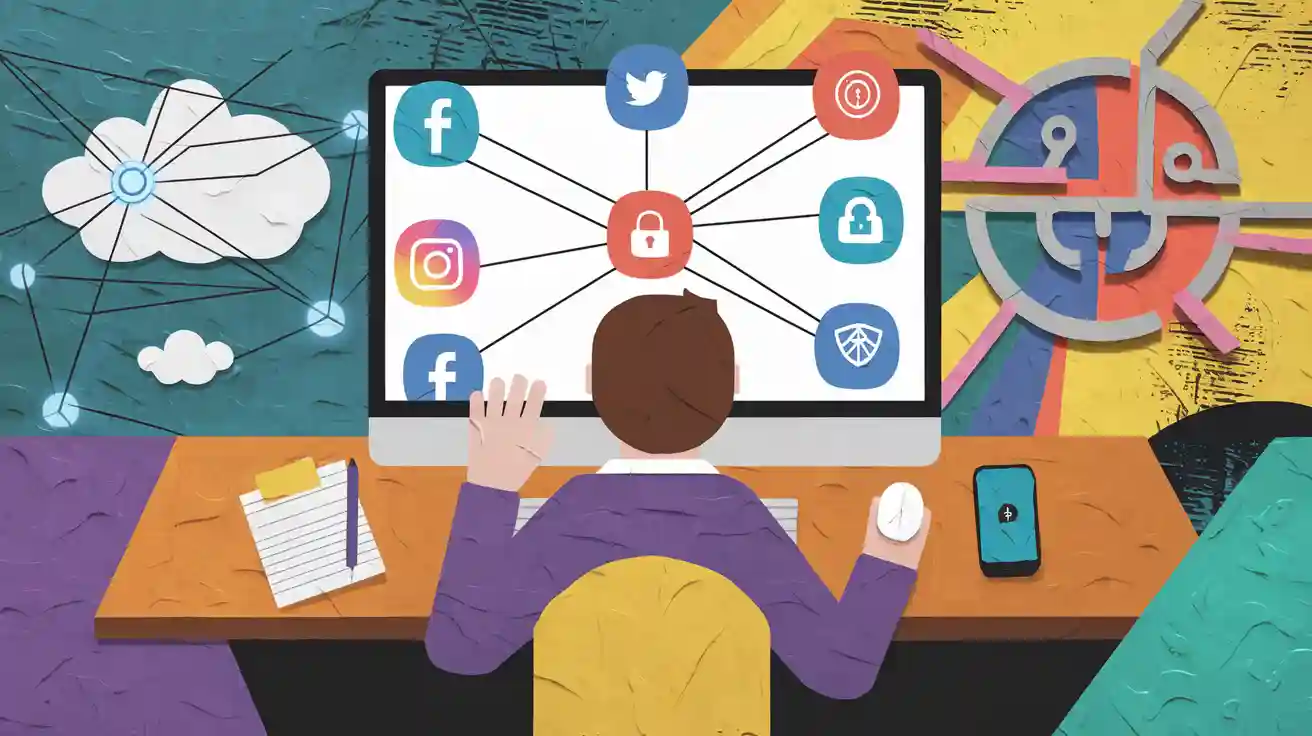
Imagine you work at a digital agency. You have to manage many social media accounts every day. You try to keep everything neat. But you start to see some problems. Here are some common risks:
Risk/Challenge | Description |
|---|---|
Account Linking | Accounts can get connected. This makes them easier to ban. |
Limitations of Management Tools | Some tools cannot handle lots of accounts well. |
Bans and Suspensions | Social media sites may suspend your accounts. They do this if they see strange activity. |
If you want to stop these problems, you need a better way. Proxy social media solutions help you keep each account apart. They also make privacy and security stronger.
Key Takeaways
Proxies help keep your social media accounts safe. They give each account a different IP address. This lowers the chance of getting banned.
Each account should have its own device profile. This stops accounts from being linked together. It makes managing many accounts easier. You can do this without getting caught.
Residential proxies are best for social media work. They act like real users online. This makes it harder for sites to spot your accounts.
Automation tools make social media tasks faster. You can manage posts and replies easily. These tools help keep your accounts safe.
Check your accounts often and change your plans if needed. This helps you avoid looking suspicious. It also helps you manage many accounts for a long time.
Proxy Social Media Basics
What Are Proxies?
When you hear about proxy social media, you might ask what a proxy is. A proxy is like a helper between you and the internet. When you go online, the proxy server does the work for you. Your real identity does not show. The proxy server sends your traffic, so websites only see the proxy’s IP address. They do not see yours. This keeps you private and safe when you use many accounts.
A network proxy also makes you safer online. It sends your requests and gets answers from web servers before you see them. Your real IP address stays hidden. This gives you more privacy. You can use residential proxies to make your accounts look like they belong to real people in different places.
Tip: Proxies are a smart way to keep your personal information safe and your online actions private.
Why Use Proxies?
If you want to use many social media accounts, you need to keep each one apart. Proxies help you do this. When you use residential proxies, you get real home IPs. Social media sites have a hard time finding and blocking these IPs. This makes it safer to run many accounts from one place.
Here are some reasons why proxies are important:
Proxies send your internet connection through their servers. They change your real IP address to a new one.
The website only sees the proxy server’s IP address. Your real location stays secret.
You can give each account a different IP address. This makes it hard for sites to link your accounts or mark them as suspicious.
Residential proxies help you look like a normal user. This makes bans less likely.
Reason for Using Proxies | Description |
|---|---|
Avoid Detection | Proxies help you look like a normal user, so you do not get flagged or banned. |
Manage Multiple Accounts | You can use many accounts from one place without getting noticed. |
Enhance Privacy and Security | Proxies add extra safety, keeping your data and actions safe. |
Proxy social media solutions give you tools to handle many social media accounts safely. By using proxies, you can keep each account apart, avoid bans, and protect your privacy.
Managing Multiple Accounts
Account Separation
To manage many accounts, you must keep them apart. If you mix accounts, you might get banned. Accounts can also get linked together. Use a different device profile for each account. This makes each account look like it is from a new device. Multi-accounting browsers help you make these profiles. They let you set up separate digital identities. Your accounts will not meet or mix.
Here are some ways to keep accounts apart:
Use a multi-accounting browser for every profile.
Log out before you switch accounts.
Clear cache and cookies when you change accounts.
Do not use the same browser for all accounts unless they are separated.
Use special devices for important accounts.
Tip: Keeping accounts apart helps stop detection. It keeps your work safe.
Unique IP Assignment
Give each account its own IP address. This is important when you have many accounts. Social media sites check for accounts with the same IP. If they find this, they might ban your accounts. Proxies, like residential proxies, help you give each account a new IP. This makes your accounts look like they are from different places.
You should:
Use residential proxies to make accounts look real.
Change your IPs sometimes, but not too much. Too many changes can look strange.
Keep your IP pattern steady.
Anti-Detect Browsers
Anti-detect browsers help you manage many accounts. They hide your device’s special markers. You can make many profiles with different settings. These browsers use fingerprint randomization and cookie isolation. This keeps each account private and apart. If you use anti-detect browsers with proxies, you can manage many accounts. You do not show your real identity.
Some good things are:
Each profile has its own fingerprint.
Cookies and browsing data stay apart.
You can use proxies for every profile. This makes your setup safer.
Note: Using proxies with anti-detect browsers helps you manage accounts safely. It lowers the chance of bans.
Using Proxies for Social Media Management
Setup Guide
It is not hard to start using proxies for social media. You just need to follow a few easy steps. Here is how you can set up proxy servers on different devices and browsers:
Windows: Open your network settings. Add a proxy server for the whole system. You can also set some sites as exceptions.
MacOS: Go to System Preferences and then Network. Put your proxy details there. Safari lets you add login info if you need it.
Linux: You can use the command line or the system’s GUI to set up a proxy.
iOS: Go to Wi-Fi settings and add a proxy. This will send all your app traffic through the proxy.
Android: Set up a proxy in your Wi-Fi settings. Some networks let you connect without extra steps.
Browsers: Most browsers like Chrome, Firefox, Opera, Edge, and Safari let you add proxies in their settings.
Tip: Always check your proxy settings before you log in to your social media accounts. This helps keep your accounts safe and apart.
Proxy Types
Not every proxy works the same way. When you use proxy social media, you will see three main types: residential proxies, datacenter proxies, and mobile proxies. Each type has its own good and bad points. Here is a quick look:
Feature | Residential Proxies | Datacenter Proxies | Mobile Proxies |
|---|---|---|---|
IP Origin | Real IPs from ISPs given to homes | Virtual IPs from data centers | Real IPs from mobile devices |
Anonymity | High, mixes with normal traffic | Lower, easy for websites to spot | High, looks like real mobile traffic |
Performance | Slower because of real-world routing | Faster, made for speed | Changes, depends on mobile network |
Cost | Usually higher because they are real | Cheaper because there are many | Changes, can be higher for some places |
You might use residential proxies for web scraping, ad checks, or to get around geo-blocks. Datacenter proxies are good for collecting lots of data or market research. Mobile proxies are best when you need accounts to look like real users on phones.
Residential proxies come from real homes, so social media sites have a harder time finding them. Datacenter proxies use fake IPs, so they can get flagged more easily. Mobile proxies use real phones, so you get high anonymity and can pick certain places.
When you look at how often they work, residential proxies help you avoid bans more. Their success rate is between 44% and 85%, depending on how you use them. Datacenter proxies can get blocked faster, especially if social media sites change their security.
Note: For most social media jobs, residential proxies or mobile proxies are the safest and most reliable.
Sticky Sessions
Sticky sessions are important when you use proxies for social media. With sticky sessions, your connection keeps the same IP address for a set time. This makes your account look more real.
Sticky sessions help you in a few ways:
They keep your IP address the same, so you do not set off security checks.
You can handle many accounts easily, without getting logged out.
Social media sites see your actions as normal, not strange.
If you use rotating sessions, your IP changes a lot. This can make your accounts look odd and cause more security alerts. Sticky sessions help you keep things steady. They use tricks like IP hashing or cookies to make sure your requests always use the same server.
Callout: Sticky sessions are great for social media management. They let you work without being stopped. You will not have to log in again and again or see lots of security pop-ups.
If you want to try these features, Yilu Proxy gives you a free trial. You can test different proxy types and sticky sessions to see what works best for your accounts. Try their free trial at Yilu Proxy Free Trial.
Multiple Instagram Accounts
Instagram Proxy Setup
Handling many instagram accounts can seem hard at first. You can make it easier with the right setup. Each account should look like a real person uses it. Give every account its own proxy. This helps your accounts look like they are from different places. Residential proxies give your accounts real home IP addresses. Mobile proxies work well too because Instagram trusts mobile IPs more.
You also need a separate device profile for each account. Use a multi-account browser or anti-detect browser for this. Each profile keeps cookies, logins, and browsing data apart. This stops Instagram from linking your accounts.
Here are some tips for setting up proxies for many instagram accounts:
Choose good residential or mobile proxies with a strong reputation.
Match your proxy location to your audience for better results.
Rotate your proxies sometimes, but not too much. Too many changes can look suspicious.
Check your proxies often to make sure they work fast and do not get blocked.
Tip: Giving each account its own proxy and device profile helps you avoid detection and keeps your accounts safe.
Avoiding Bans
You want to keep your instagram accounts safe from bans. Instagram looks for strange activity, so act like a real user. Do not like, follow, or unfollow too much at once. Stay away from bots or tools that break Instagram’s rules. If you use automation, start slow and increase your actions over time.
Bans happen for spammy behavior, breaking rules, or using the same IP for many accounts. Changing your IP too often can also cause problems. Make sure each account has its own IP and device profile.
If you see CAPTCHAs or get asked to verify your account, do not worry. Use good proxies to make your actions look real. Turn on two-factor authentication for extra safety. Log in from familiar devices and networks when you can.
Here are some ways to avoid bans and keep your instagram accounts running well:
Limit automation and follow Instagram’s rate limits.
Use rotating residential proxies to change your IP between sessions.
Watch your activity and avoid doing the same thing too quickly.
Turn on two-factor authentication.
Use instagram management software to track your accounts and spot problems early.
Note: Doing these things helps you avoid bans and keeps your instagram accounts safe and active.
Common Issues | How to Avoid Them |
|---|---|
CAPTCHAs | Use real residential or mobile proxies, limit automation |
Account Verification | Log in from known devices, turn on two-factor auth |
Bans | Avoid spammy actions, use unique proxies and profiles |
Managing many instagram accounts takes planning. With the right proxies and careful actions, you can grow your accounts and stay out of trouble.
Social Media Management Tools
Handling lots of accounts can be tough. You want everything to be neat and safe. The right tools make this job easier. These tools help you manage many accounts. They keep your work safe and save you time.
Automation Tools
You do not need to do every task yourself. Automation tools do boring jobs for you. They help you plan when posts go out. You can use them to answer comments or messages. This works even when you are busy. Here are ways automation tools help:
Your brand stays active online, even when you are away.
You spend less time doing the same things again and again.
You can see what works best by tracking results.
You can set up special steps for each account.
Many automation tools have proxy and IP managers built in. This keeps each account safe with its own IP address. You can group accounts by topic or campaign. Here is what these tools offer:
Feature | Description |
|---|---|
Unlimited Accounts Support | You can manage many social accounts without limits. |
Proxy & IP Manager Built-In | You keep accounts safe with special or changing IPs. |
Smart Campaigns & Category Management | You control account groups and manage by topic. |
Tip: Automation tools help you plan posts, reply to people, and make social media easier. They also keep your accounts safe.
Monitoring Accounts
You want to know what is happening with your accounts all the time. Good monitoring tools help you find problems early. They watch for mentions of your brand. They look for fake accounts and keep your data safe. Some popular tools are:
Tool Name | Description |
|---|---|
Cyfe | This tool lets you see important social media numbers in one place. |
Sendible | It helps you track numbers and manage posts on many networks. |
Brandwatch | It watches social media and checks how people feel about your brand. |
Meltwater | It tracks social media, news, and blogs to help your brand. |
YouScan | It uses AI to find your brand in pictures and videos. |
BuzzSumo | It sends alerts for words and brand mentions on different sites. |
Emplifi | It tracks mentions of brands and rivals, and checks audience feelings. |
You can use smart steps to keep accounts safe:
Turn on verification for business profiles.
Use AI tools to find strange activity.
Teach your team to spot fake accounts.
Work with social media sites to report problems.
A big store in the U.S. used AI to find fake accounts. They worked with Meta and X to report these accounts. This cut fake accounts by 80% in one year. With good social media tools, you keep accounts safe and your brand strong.
Best Practices
Security Tips
You want your social media accounts to be safe. You also want them to work well. Here are some easy things you can do:
Pick a different password for every account. This stops hackers from getting into all your accounts.
Turn on two-factor authentication for each platform. This gives you extra safety.
Check which apps and tools can use your accounts. Remove any you do not trust or use.
Look for weird activity. If you see something strange, act fast to protect your accounts.
Make a plan for emergencies. Know what to do if someone hacks you or if you get bad comments online.
Teach your team how to spot scams. Make sure everyone knows how to keep accounts safe.
Use a unique IP for each profile. This helps you stay hidden and keeps accounts apart.
Do not share email addresses or phone numbers between accounts.
Watch out for device and browser fingerprints. These can show if you manage lots of accounts.
Keep an eye on your actions. Do not act like a bot or do the same thing too quickly.
Tip: Proxies help you stay safe and make it easier to get around location blocks. You can try these tips for free with Yilu Proxy’s trial.
Compliance
You must follow the rules when you use proxies for social media. Every platform has its own rules. If you break them, your accounts can get banned. Here is what you should remember:
Compliance Requirement | Description |
|---|---|
Right to refuse service | Providers can stop service if you use it in a bad way. |
Illegal uses are prohibited | Never use proxies for illegal or wrong things. |
Abuse monitoring | Services watch for bad actions to keep everyone safe. |
Risk assessments | Providers check if your use is safe for others. |
Verification process | You may need to prove who you are and how you pay. |
Commitment to compliance | Providers change their rules to follow world laws. |
Note: Always read the rules for each proxy and social media site. Following the rules keeps your accounts safe and helps you get around location blocks.
Using proxies helps make social media safer and simpler. You can handle many accounts and keep them secure. You can also reach people in other places. Here are the main benefits:
Benefit | Explanation |
|---|---|
Enhanced Security | Each account gets a different IP address. This helps stop bans. |
Multi-Account Management | You can run lots of accounts. You do not get noticed. |
Location-Specific Access | You can see what users in other countries see. |
Algorithm Testing | You can test posts in new places. You find out what works best. |
Automation Protection | You spread your actions across IPs. This helps you avoid getting caught. |
Want to try it? You can use Yilu Proxy’s free trial by doing these steps:
Go to the Yilu Proxy website and sign up with your email and password.
Download the Yilu Proxy client for Windows. Log in to your account.
Add money with Alipay or USDT-TRC20.
If you want more help, look at guides, blogs, and video tutorials about proxy social media management. These resources teach you new things and help keep your accounts safe.
FAQ
How many social media accounts can you manage with proxies?
You can handle dozens or even hundreds of accounts if you use the right proxies. Just make sure each account has its own unique IP address. This keeps your accounts safe and separate.
Do proxies slow down your internet speed?
Sometimes proxies can make your connection a bit slower. Residential and mobile proxies may run slower than datacenter proxies. If you pick a good provider, you usually will not notice much difference.
Can you use free proxies for social media?
Free proxies sound tempting, but they often cause problems. You might face slow speeds, blocked accounts, or even security risks. Paid proxies work better and keep your accounts safer.
What should you do if a social media account gets banned?
Stop using the banned account right away.
Check your proxy and device setup.
Create a new account with a fresh IP and device profile.
Review your actions to avoid repeating mistakes.
Are proxies legal to use for social media?
Most countries allow proxies. Social media sites may not like them, but using proxies is not against the law in most places. Always follow the rules of each platform.